Tag: Guide

Evergreen, instructional resource

  • Getting Started with PointsYeah

    Getting Started with PointsYeah

    Welcome to PointsYeah. Whether you’re booking your first award trip or you’ve been collecting points for years, this guide will introduce the platform’s core tools, explain how they fit together, and help you get started.

    Sign In to Unlock Your Account

    The best experience starts with a free PointsYeah account.

    Signing in lets you save your preferences, create alerts, organize your rewards, and personalize the platform around the way you travel.

    If you decide you need even more flexibility, PointsYeah Premium unlocks additional features like expanded Live Search, Family and Friends Points Wallet, automatic account syncing, and more.

    Find the Right Tool for the Job

    PointsYeah is organized around a few core tools. Here’s what each one does and where to learn more.

    Live Search

    Live Search helps you find bookable award flights in real time across dozens of airline loyalty programs.

    Whether you’re searching for a specific route or comparing multiple airports, Live Search is the fastest way to see what’s available.

    Learn more:

    Daydream Explorer

    Not sure where you want to go?

    Daydream Explorer helps you discover destinations using an interactive map for both flights and hotels. Browse by continent, country, region, or airport, then narrow your search when something catches your eye.

    Learn more:

    Hotels

    Search award hotel availability across major loyalty programs, compare redemption options, and explore the Hotel Collection to discover places you can book with points.

    Learn more:

    Alerts

    You don’t have to keep checking for award availability.

    PointsYeah can monitor flights, hotels, and destinations for you and notify you when matching opportunities appear.

    Available alerts include:

    • Flight Price Alerts
    • Hotel Alerts
    • Explorer Alerts
    • Seat Alerts

    Learn more:

    My Wallet

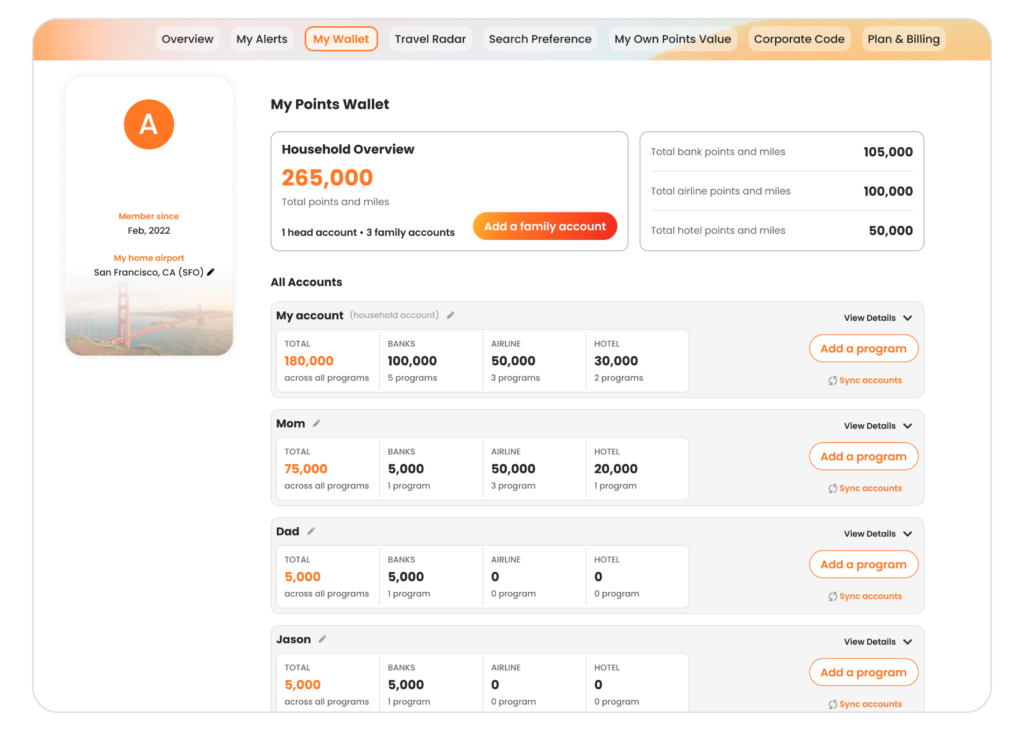
    My Wallet helps you keep your airline, hotel, and bank rewards organized in one place.

    Premium members can also unlock automatic account syncing and the Family and Friends Points Wallet to manage rewards across multiple travelers.

    Learn more:

    Search Preferences

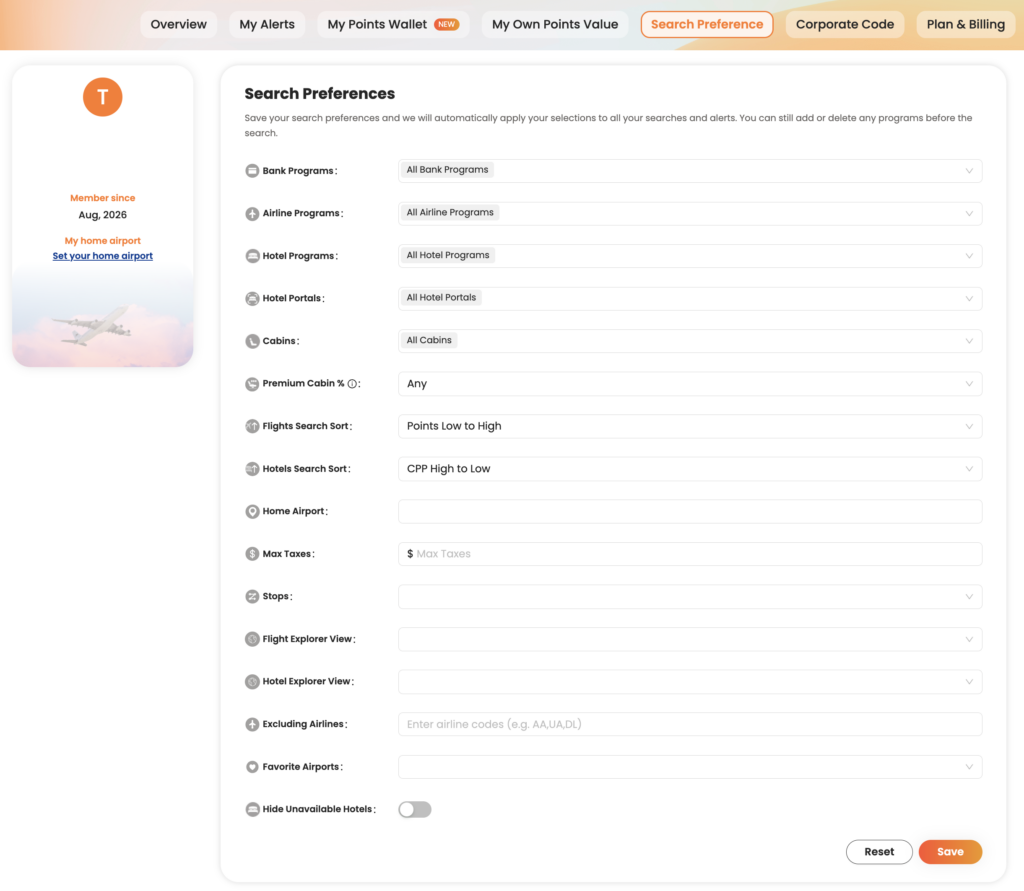
    Customize your favorite airports, default search settings, and other preferences so PointsYeah works the way you travel.

    Learn more:

    Free vs. Premium

    Every PointsYeah account includes powerful tools for searching award flights and hotels, creating alerts, and organizing your rewards.

    If you travel frequently or want additional flexibility, PointsYeah Premium expands the experience with features like:

    • Expanded Live Search
    • Family and Friends Points Wallet
    • Automatic account syncing
    • More alerts
    • Additional search capabilities

    You can compare plans and learn more on our PointsYeah Premium page.

    Where Should You Start?

    If you’re new to PointsYeah, here’s a simple path.

    • Know where you want to go? Start with Live Search.
    • Need travel inspiration? Open Daydream Explorer.
    • Waiting for award space? Create an Alert.
    • Want to organize your rewards? Set up My Wallet.
    • Travel often? Explore PointsYeah Premium to unlock additional planning tools.

    Welcome to the Community

    Thanks for joining PointsYeah.

    We’re building tools that make award travel easier to search, compare, and book, whether you’re planning next month’s vacation or dreaming about a trip years from now.

    As you explore the platform, you’ll find detailed guides throughout our Product section to help you get the most out of every feature.

    If you have questions, feedback, or feature requests, we’d love to hear from you at yeah@pointsyeah.com.

  • How to Use Points Price Alerts

    How to Use Points Price Alerts

    Points Price Alerts help you monitor award flights without having to run the same search over and over.

    Once you create an alert, PointsYeah continuously checks for changes to both award availability and award pricing. If a new itinerary appears or the number of points required changes to meet your criteria, we’ll let you know.

    Whether you’re waiting for award space to open or hoping the price drops before you book, Points Price Alerts can do the monitoring for you.

    What Do Points Price Alerts Track?

    Points Price Alerts monitor two things:

    • Changes in the number of points required for an award ticket.
    • Newly available award seats that match the maximum number of points you’re willing to spend.

    Instead of checking the same route every day, you can let PointsYeah search continuously in the background.

    How to Create a Points Price Alert

    You can create a Points Price Alert from either:

    • A Live Search results page, or
    • The My Points Price Alerts page in your account.

    When creating an alert, choose:

    • Your travel dates
    • The route you’d like to monitor
    • The maximum number of points you’re willing to spend

    Once saved, PointsYeah begins monitoring automatically.

    How Many Alerts Can I Create?

    Free accounts can have up to 4 active Points Price Alerts.

    PointsYeah Premium increases that limit to 32 active alerts.

    An active alert is counted per travel date.

    For example:

    • One alert covering three travel dates counts as three active alerts.
    • Another alert covering two travel dates counts as two active alerts.

    Together, those use five active alert slots.

    You can pause or delete alerts at any time to free up available slots.

    How Will I Know When Something Changes?

    Whenever PointsYeah finds a matching itinerary, you’ll receive:

    • An email notification
    • An update in your My Points Price Alerts dashboard

    Alerts continue monitoring until you:

    • Pause the alert
    • Delete the alert
    • Reach your travel date

    A Few Things to Know

    Points Price Alerts monitor all supported loyalty programs at the same time, so you don’t need to create separate alerts for different airlines.

    Because many award tickets can be changed or canceled, some travelers choose to book an itinerary when it becomes available, then continue monitoring for a lower points price before departure.

    Related Guides

    New to PointsYeah? Start with these guides: