Tag: Flight Search

PointsYeah product

  • How to Use Daydream Explorer to Find Award Flights and Hotels

    How to Use Daydream Explorer to Find Award Flights and Hotels

    Sometimes the hardest part of planning a trip isn’t finding award availability. It’s deciding where to go.

    Daydream Explorer helps you discover destinations, award flights, and hotels when your plans are flexible. Instead of searching one route at a time, you can explore the world using an interactive map, browse award opportunities across regions, and compare both flights and hotels in one place.

    Whether you’re looking for your next vacation or simply seeing where your points can take you, here’s how to get started.

    What Is Daydream Explorer?

    Daydream Explorer helps you discover where your points can take you.

    Unlike Live Search, which starts with a specific route, Daydream Explorer lets you begin with a broader idea. Search from an airport, state, country, region, continent, or even “Anywhere,” then explore destinations that match your travel dates and preferences.

    You can switch between Flights and Hotels at any time, making it easy to discover both award flights and places to stay from a single search.
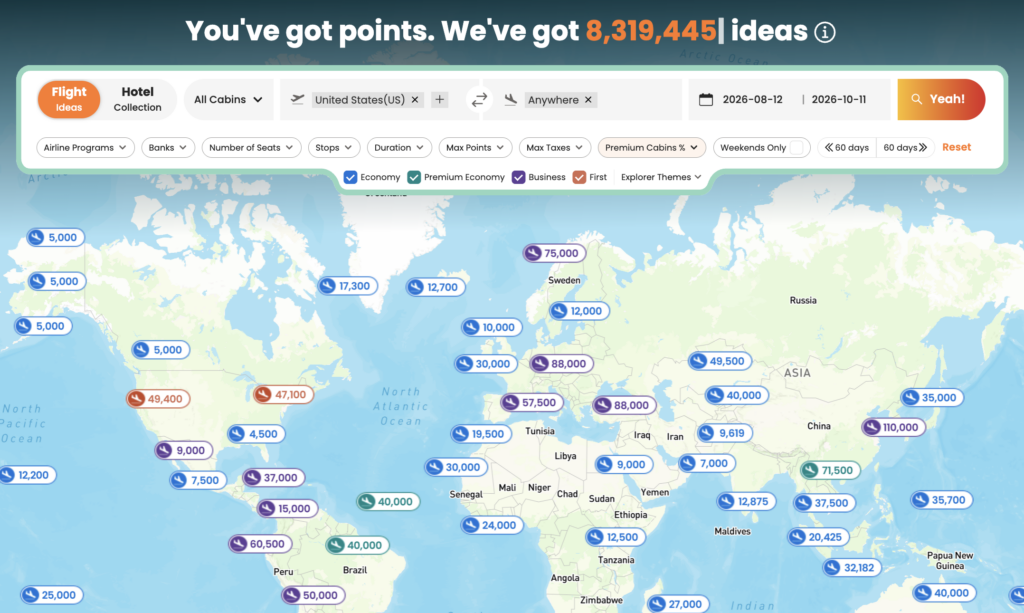
    Find Award Flights

    Daydream Explorer makes it easy to discover award flights when you’re flexible about where to travel.

    Start by choosing where you’ll depart from. You can search using:

    • Anywhere
    • Continents
    • Regions
    • Countries
    • States
    • Airports

    Next, choose where you’d like to travel using the same flexible location options.
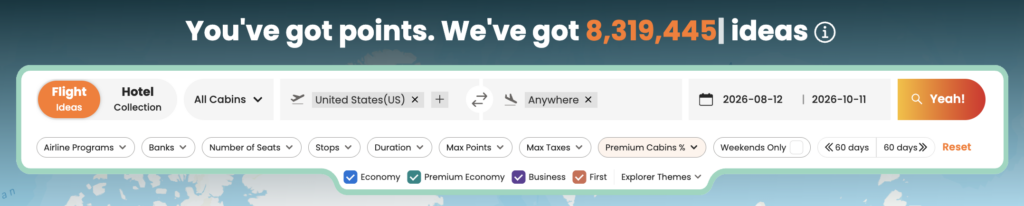
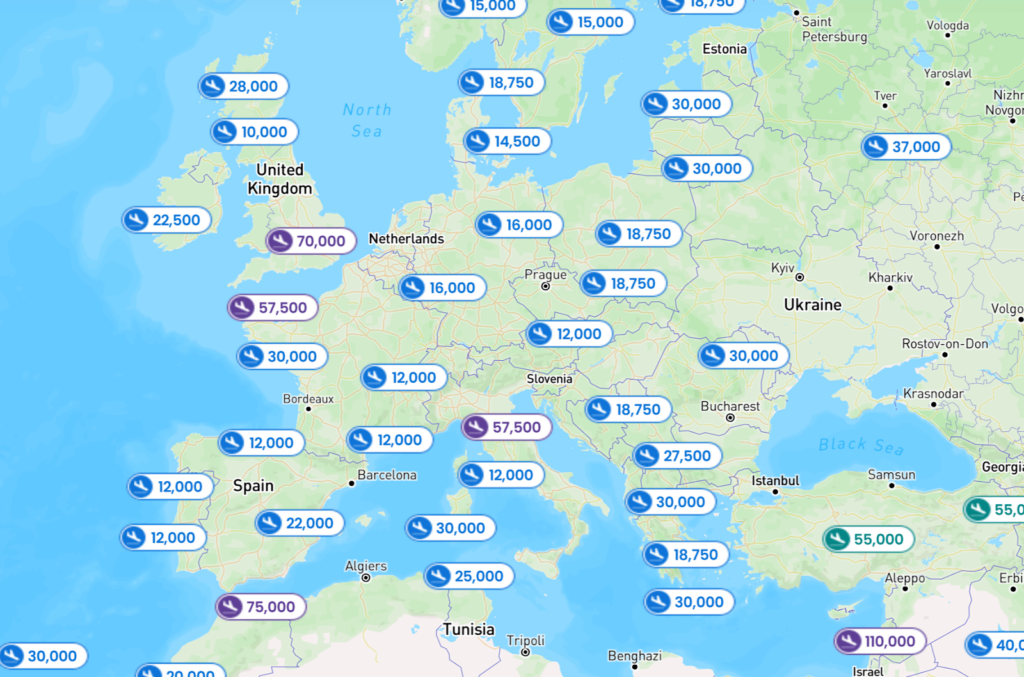
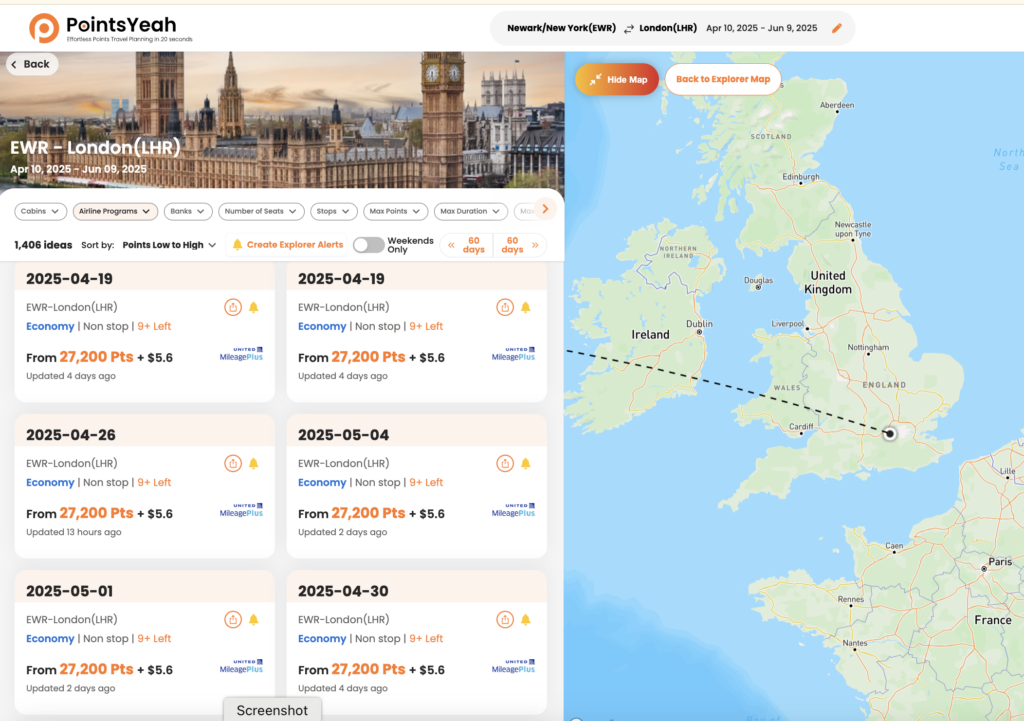
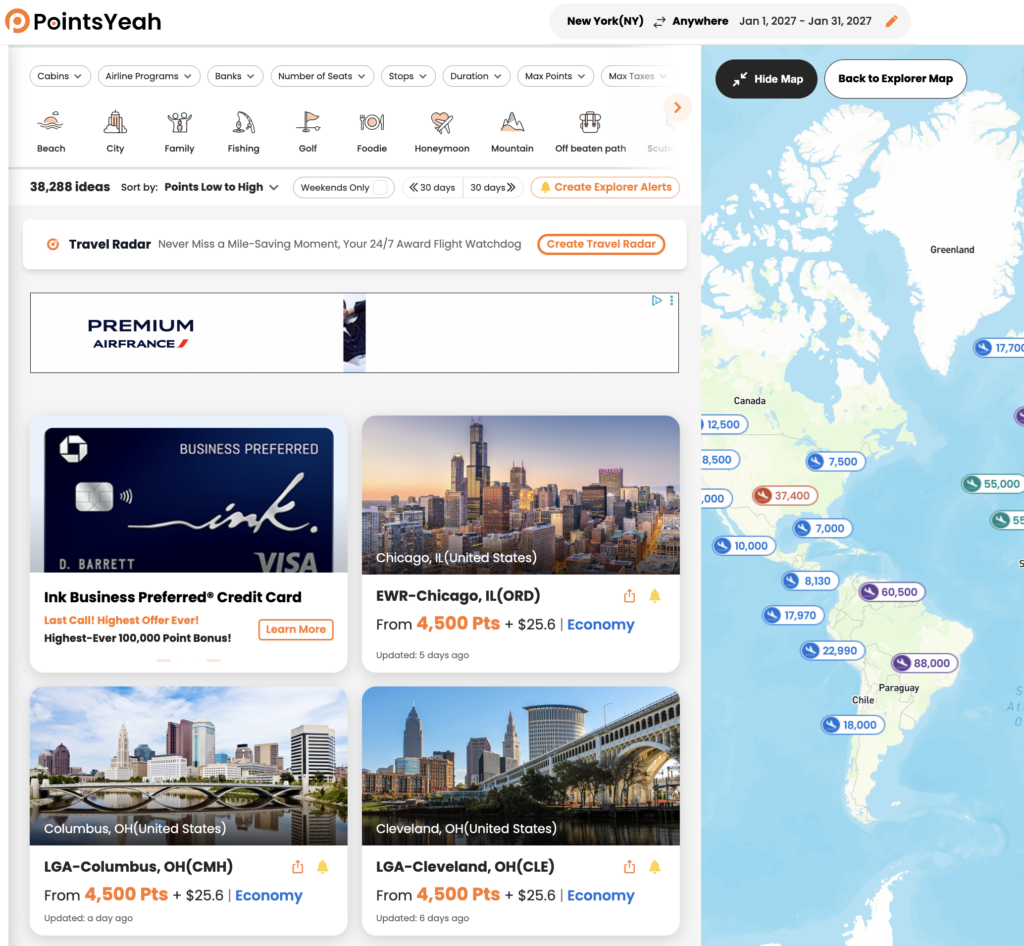
    Once you’ve entered your travel dates, Daydream Explorer displays matching destinations on both an interactive map and a list view. Select any destination to compare award pricing across supported airline loyalty programs, view available cabins, and explore different redemption options.

    When you’re ready to book, select Yeah, Let’s Go to continue your search with Live Search and view real-time availability.
    Find Award Hotels

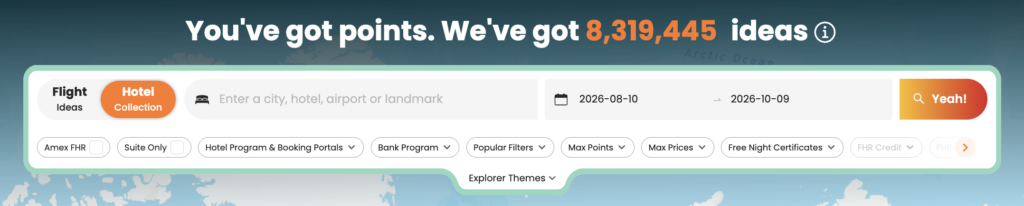
    Switch to the Hotels tab to explore hotels you can book with points.

    Search by city, airport, region, country, landmark, or broader destination, then compare hotels across supported loyalty programs using either the interactive map or list view.
    Each hotel result includes information such as:

    • Award pricing
    • Cash rates
    • Hotel brand
    • Guest ratings
    • Amenities
    • Property location

    Selecting Yeah, Let’s Go takes you directly to the hotel’s booking page for the dates you’ve selected.
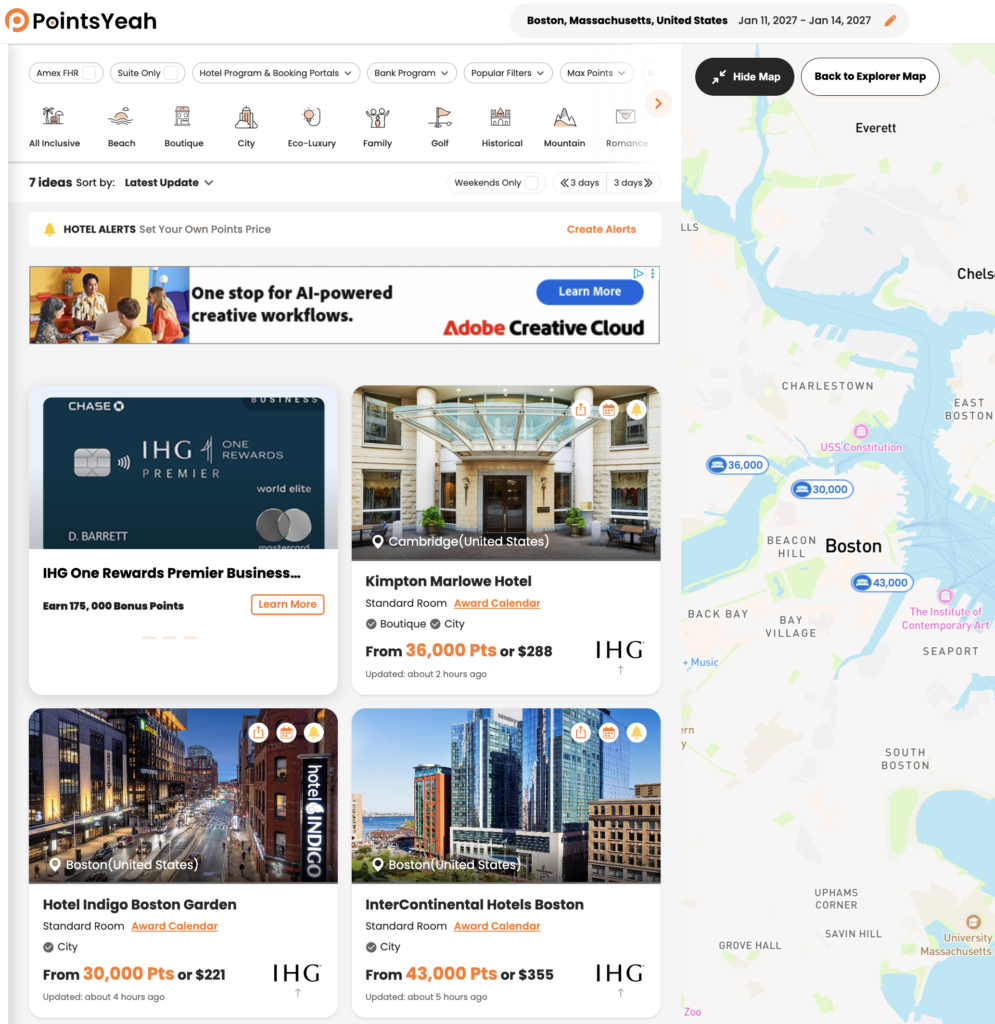
    Search American Express Fine Hotels + Resorts®

    You can also enable the American Express Fine Hotels + Resorts® filter while searching hotels to view participating Fine Hotels + Resorts® and The Hotel Collection properties.

    To learn more, see How to Search Amex Fine Hotels + Resorts with PointsYeah.

    Use Filters to Narrow Your Results

    Daydream Explorer includes filters that help you focus on destinations that match your travel preferences.

    For award flights, you can filter by:

    • Cabin
    • Airline program
    • Bank transfer partner
    • Number of stops
    • Maximum points
    • Maximum taxes and fees
    • Flight duration
    • Number of seats
    • Weekend travel

    For hotels, available filters include:

    • Hotel loyalty program
    • Hotel brand
    • Maximum points
    • Maximum cash price
    • Distance
    • Amenities
    • Free Night Certificates
    • Suites only

    As you adjust your filters, results update automatically so you can compare destinations without starting your search over.

    Browse by Travel Theme

    Not every trip starts with a destination.

    Daydream Explorer includes Explorer Themes, allowing you to browse destinations based on the type of trip you’d like to take.

    Available themes include options such as:

    • Beach
    • Family
    • City
    • Golf
    • Historical
    • Honeymoon
    • Ski
    • Boutique
    • Eco-Luxury
    • Unique Hotels

    Themes can be combined with your other filters, making it easier to discover destinations that match your travel style.

    Create Explorer Alerts

    Not ready to book yet?

    Create an Explorer Alert directly from your Daydream Explorer search to continue monitoring opportunities in the background.

    Explorer Alerts are available for both flights and hotels. Once an alert is created, PointsYeah will notify you when new opportunities matching your search criteria become available, so you don’t have to repeat the same search every day.

    Daydream Explorer vs. Live Search

    Daydream Explorer and Live Search work together, but they’re designed for different stages of trip planning.

    Use Daydream Explorer when you:

    • Haven’t decided where to travel.
    • Want inspiration for your next trip.
    • Want to compare destinations across a region or the world.
    • Prefer exploring possibilities before choosing a specific route.

    Use Live Search when you:

    • Already know where you’re going.
    • Want to search a specific route.
    • Need to confirm real-time award availability before booking.

    Many travelers start with Daydream Explorer to discover destinations, then switch to Live Search when they’re ready to compare real-time award options.

    Free vs. Premium

    Daydream Explorer is available to all PointsYeah members.

    Upgrading to PointsYeah Premium expands the rest of the platform with additional planning tools, including:

    • Longer Live Search windows
    • More active alerts
    • Family and Friends Points Wallet
    • Automatic syncing with select bank and airline programs
    • Additional Premium search features

    Related Guides

    Continue exploring PointsYeah:

  • How to Search for Award Flights with PointsYeah

    How to Search for Award Flights with PointsYeah

    PointsYeah helps you search award flights across multiple airline loyalty programs in a single search, making it easier to compare redemption options without checking each airline individually.

    Whether you’re planning a specific trip or exploring flexible travel dates, this guide explains how to search for award flights, filter your results, and compare booking options.

    Before You Search

    For the best experience, sign in to your PointsYeah account before starting a search.

    A free account unlocks personalized search preferences, saved alerts, and other features that make planning future trips easier.

    If you’re new to the platform, start with Getting Started with PointsYeah to familiarize yourself with the basics.

    Start a Live Search

    From the Live Search page, enter your:

    • Departure airport
    • Arrival airport
    • Travel date
    • Number of travelers
    • Cabin
    • Preferred airline or bank programs (optional)

    Then select Yeah! to begin searching.

    PointsYeah homepage featuring live flight search widget.

    Review Your Search Results

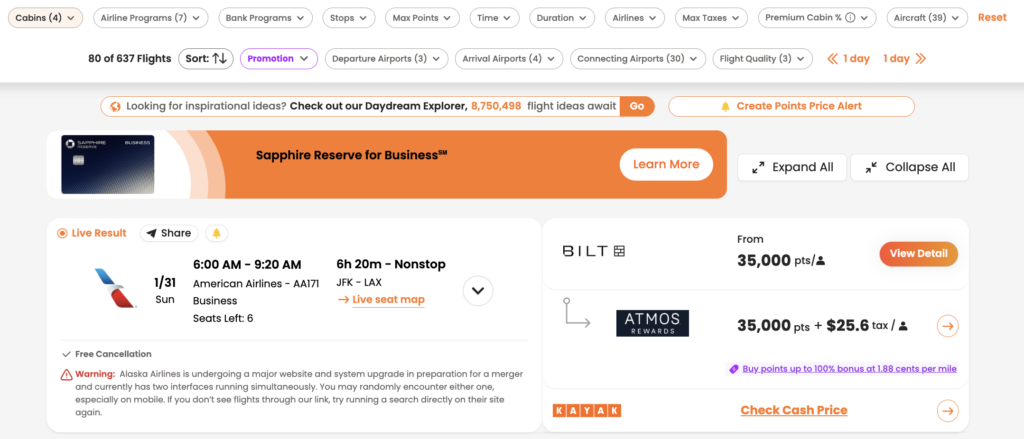
    PointsYeah searches supported airline loyalty programs and displays available award flights in a single list.

    Each result includes key information to help you compare your options, including:

    • Airline and operating carrier
    • Cabin
    • Points required
    • Taxes and fees
    • Flight duration
    • Stops
    • Loyalty program
    • Transfer partners (when applicable)

    At the top of the page, you’ll also find filters that let you quickly narrow your results.

    Refine Your Search

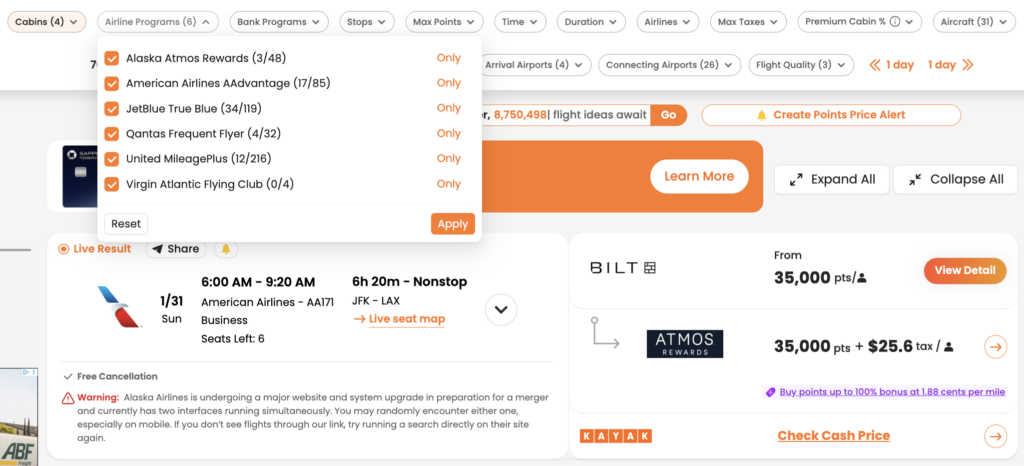
    The filter bar lets you narrow your results without starting a new search.

    Available filters include:

    • Cabin
    • Airline programs
    • Bank programs
    • Stops
    • Maximum points
    • Maximum taxes and fees
    • Airlines
    • Departure airports
    • Arrival airports
    • Connecting airports
    • Flight quality
    • Aircraft type
    • Departure time
    • Flight duration

    As you adjust filters, your results update automatically, making it easy to compare only the flights that match your preferences.

    Search Tip

    If your travel plans are flexible, try adding nearby airports or alternative destinations to your search. Award availability often varies between airports, even within the same region, and a small change in your itinerary may uncover additional redemption options.

    You can also personalize your default airports, preferred loyalty programs, and other search settings in How to Personalize Your Searches.

    Compare Your Booking Options

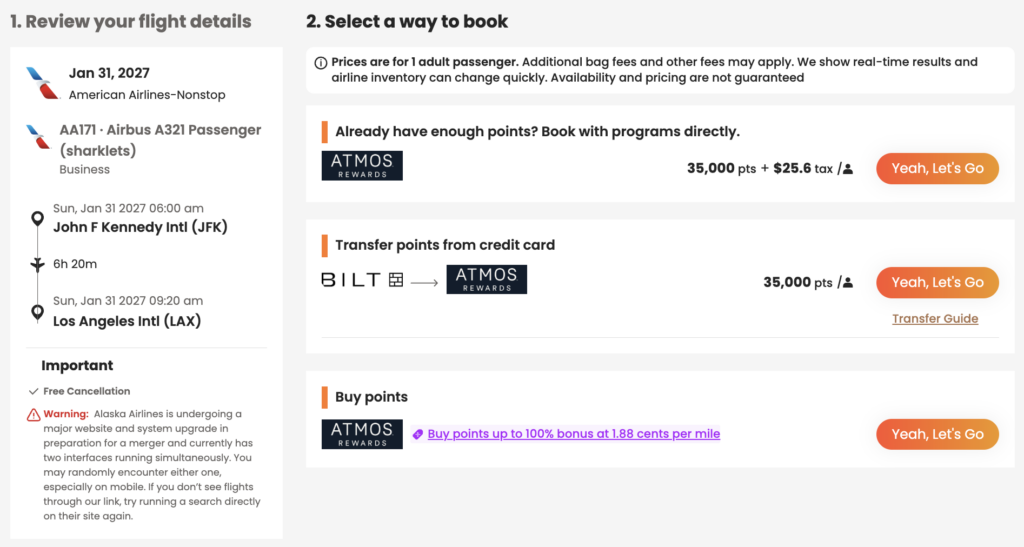
    Selecting a flight opens a detailed booking panel showing the different ways you may be able to book that itinerary.

    Depending on the flight, you may see options to:

    • Book directly with an airline loyalty program
    • Transfer points from an eligible bank rewards program
    • Purchase additional airline miles when available

    This view also displays important trip details, including taxes and fees, aircraft type, cancellation policies (when available), and transfer guidance where applicable.

    Free vs. Premium

    Every PointsYeah account includes access to Live Search, but Premium expands how much you can search in a single query.

    Free

    Free members can:

    • Search for one departure airport and one arrival airport.
    • Search across a 4-day travel window.
    • Create up to four active Points Price Alerts.

    Premium

    PointsYeah Premium adds additional flexibility for travelers comparing multiple airports or planning more complex trips.

    Premium members can:

    • Search up to three departure and three arrival airports.
    • Search across an 8-day travel window.
    • Compare more airport combinations in a single search.
    • Create up to 32 active Points Price Alerts.
    • Access additional Premium search features throughout the platform.

    If you regularly compare nearby airports or travel with flexible plans, Premium can help reduce the number of searches needed to find the right itinerary.

    Related Guides

    Once you’ve found a flight, PointsYeah includes additional tools to help you monitor availability, organize your rewards, and prepare for your trip.

    You may also find these guides helpful:

  • Which Airlines and Hotels Can You Search with PointsYeah?

    Which Airlines and Hotels Can You Search with PointsYeah?

    PointsYeah lets you search award availability across a growing list of airline and hotel loyalty programs, making it easier to compare redemption options without searching each program individually.

    Whether you’re planning a flight, looking for an award hotel, or exploring destinations with Daydream Explorer, PointsYeah searches across supported loyalty programs to help you find the right option for your trip.

    Below you’ll find the airline and hotel loyalty programs currently supported.

    Supported Airline Loyalty Programs

    PointsYeah currently supports award searches across the following airline loyalty programs:

    Loyalty Program
    Aerolíneas Argentinas
    Aeromexico Rewards
    Air Canada Aeroplan
    Air France-KLM Flying Blue
    Alaska Airlines Atmos Rewards
    American Airlines AAdvantage
    Avianca LifeMiles
    Delta SkyMiles
    Etihad Guest
    Finnair Plus (Avios)
    JetBlue TrueBlue
    Lufthansa Miles & More
    Qantas Frequent Flyer
    SAS EuroBonus
    Turkish Miles&Smiles
    United MileagePlus
    Virgin Atlantic Flying Club
    Virgin Australia Velocity

    Supported Hotel Loyalty Programs

    PointsYeah also searches award availability across the following hotel loyalty programs:

    Loyalty Program
    Choice Privileges
    Hilton Honors
    World of Hyatt
    IHG One Rewards
    Marriott Bonvoy
    Wyndham Rewards

    Hotel searches are available through Live Search and Daydream Explorer Hotels, making it easy to compare award stays across multiple brands.

    Search Across Multiple Programs at Once

    Rather than checking each loyalty program individually, PointsYeah searches supported airline and hotel programs together so you can compare available redemption options in a single search.

    Depending on the tool you’re using, you can also filter results by loyalty program, airline, hotel brand, cabin, stops, and other preferences to narrow your search.

    Things to Know

    The list of supported airline and hotel loyalty programs continues to grow as new partners are added.

    Award availability is provided by each loyalty program and can change at any time.

    If a loyalty program isn’t currently supported, you won’t see award availability for that program in PointsYeah.

    Related Guides

    Learn more about searching with PointsYeah:

  • Live Search Now Supports Up to Three Origins and Three Destinations

    Live Search Now Supports Up to Three Origins and Three Destinations

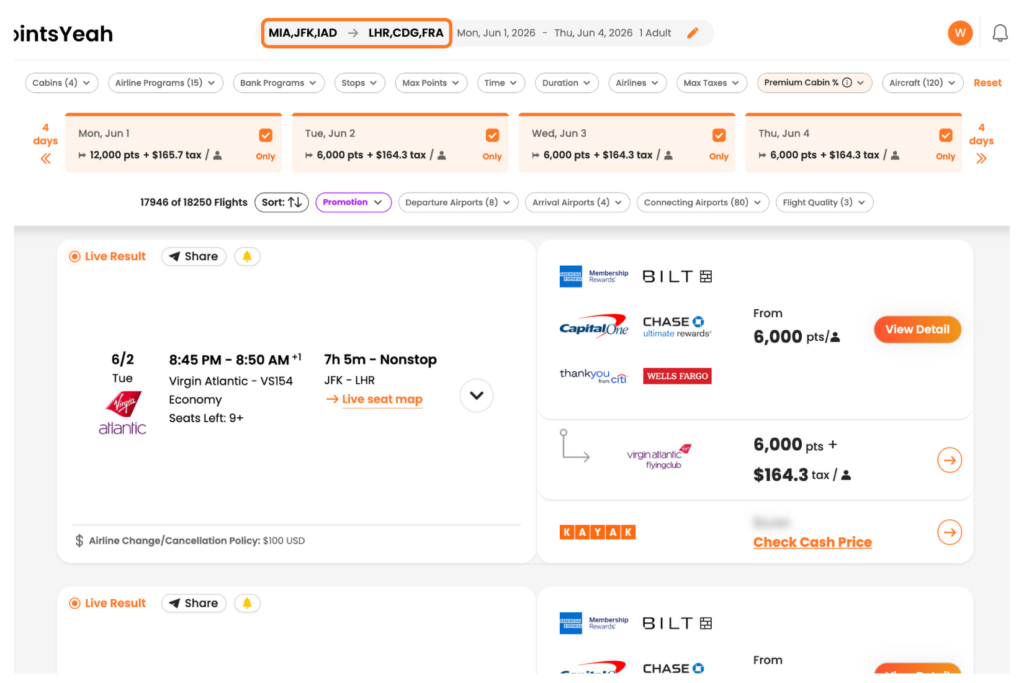
    PointsYeah Premium members can now search award flights using up to three origin airports and three destination airports in a single Live Search.

    The update expands one of Live Search’s most powerful features: comparing multiple routes at once to find the best award availability without running search after search.

    Premium members can now search:

    • Up to 3 origins and 3 destinations across a 4-day Live Search window.
    • Up to 3 origins and 1 destination, or 1 origin and 3 destinations, across an 8-day Live Search window.

    Whether you’re willing to drive to another airport or fly into a nearby city, the expanded search makes it easier to compare more possibilities in a single search.

    Why It Matters

    Award availability isn’t evenly distributed.

    The best itinerary might not depart from your closest airport. It might not arrive at your first-choice destination, either.

    Searching multiple airports at once helps you spot opportunities you might otherwise miss, such as:

    • Award space from one airport but not another.
    • Lower award prices on nearby routes.
    • More available seats from an alternate city.

    Instead of narrowing your options before you search, you can cast a wider net and compare the results side by side.

    See It in Action

    Imagine you’re planning a trip to Europe.

    You could search departures from:

    • Miami (MIA)
    • Tampa (TPA)
    • Orlando (MCO)

    while looking for flights into:

    • Paris (CDG)
    • London (LHR)
    • Frankfurt (FRA)

    Rather than running separate searches for every combination, Live Search compares them together within a single search window.

    That broader view makes it easier to identify which routes have the best availability, pricing, or number of seats before you decide where to book.

    Available Now

    The expanded Live Search is available now for PointsYeah Premium members on both desktop and mobile.

    If you’re already a Premium member, try adding an extra origin or destination to your next search and compare the results.

    If you’re new to Premium, you can upgrade to PointsYeah Premium to unlock expanded Live Search, automatic rewards syncing, Family and Friends Points Wallet, price alerts, and more.

  • How to Use United Airlines Upgrade Alerts

    How to Use United Airlines Upgrade Alerts

    United Upgrade Alerts help you monitor upgrade availability on eligible United-operated flights without repeatedly checking for space yourself.

    Once you create an alert, PointsYeah monitors upgrade availability and notifies you when your selected upgrade becomes available.

    United Upgrade Alerts are available with PointsYeah Premium.

    What Can United Upgrade Alerts Monitor?

    United Upgrade Alerts can track eligible upgrades on United-operated flights using:

    • PlusPoints
    • MileagePlus miles
    • MileagePlus miles with a cash copay

    Partner-operated and codeshare flights are not currently supported.

    How to Create a United Upgrade Alert

    Creating an alert takes a few steps.

    Enter:

    • Your departure airport
    • Your arrival airport
    • Your travel date (or date range)
    • An optional United flight number if you only want to monitor a specific flight

    Once your alert is saved, PointsYeah begins monitoring automatically.

    How Monitoring Works

    PointsYeah adjusts how often it checks upgrade availability based on how close your departure date is.

    • For travel more than a month away, alerts are checked approximately once per day.
    • As your departure approaches, monitoring becomes more frequent.
    • During the final days before departure, availability is checked as often as once per hour.

    If an eligible upgrade becomes available, you’ll receive a notification.

    How Many Alerts Can I Create?

    United Upgrade Alerts are included with PointsYeah Premium.

    Premium members can create up to 32 active United Upgrade Alerts.

    Each travel date counts as one active alert.

    You can pause or delete alerts at any time to free up available alert slots.

    How You’ll Be Notified

    When PointsYeah detects eligible upgrade availability that matches your alert, you’ll receive a notification so you can return to United and request or confirm your upgrade.

    Notifications are available through:

    • Email
    • Your My Alerts dashboard

    Things to Know

    United Upgrade Alerts monitor upgrade availability on eligible United-operated flights only.

    If you’re monitoring an entire route, PointsYeah checks all eligible United flights between your selected airports. If you enter a specific flight number, only that flight is monitored.

    Upgrade availability is determined by United and may change at any time.

    Related Guides

    Continue exploring PointsYeah:

  • How to Personalize Your Flight and Hotel Searches

    How to Personalize Your Flight and Hotel Searches

    PointsYeah lets you customize your search experience so the results better match the way you travel.

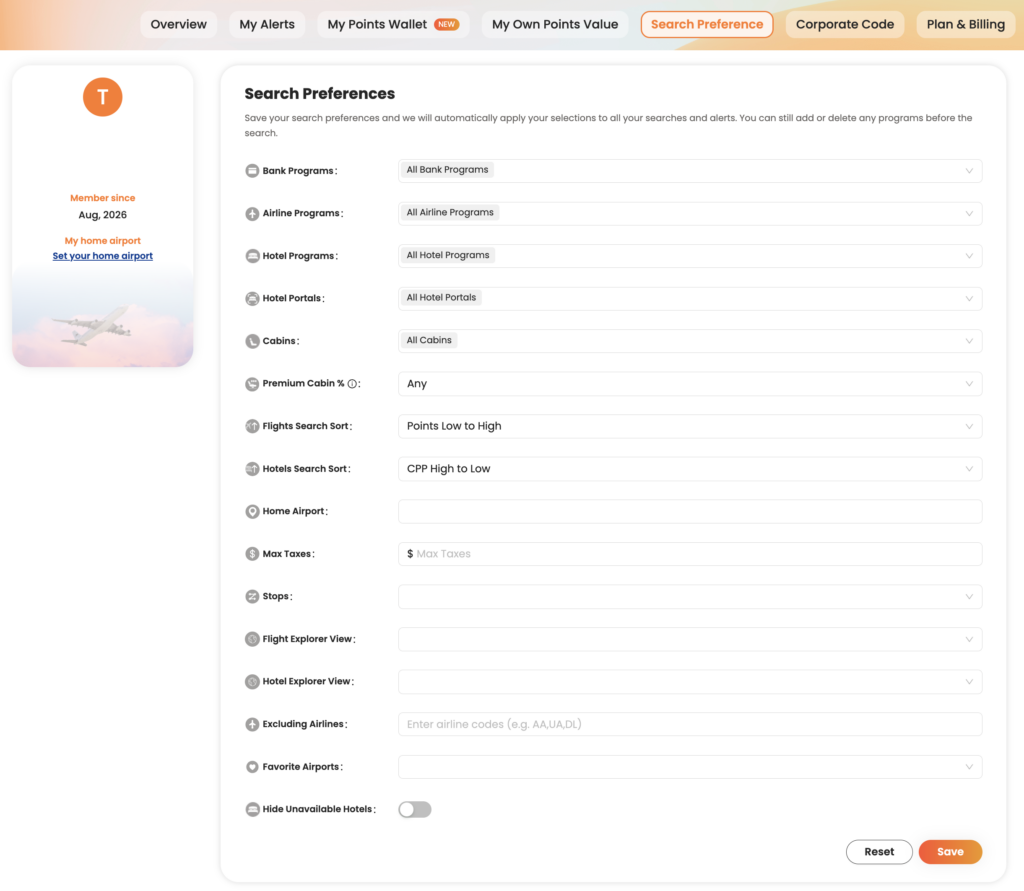
    By setting your preferred airports, loyalty programs, airlines, and other preferences, you can spend less time filtering results and more time finding award flights and hotels you’d actually book.

    Most preferences only need to be configured once, and they’ll automatically apply to future searches.

    Set Your Home Airports

    If you usually depart from the same airport or a handful of nearby airports, adding them to your preferences can make searching faster.

    Your home airports become the default starting point for many searches, helping you avoid repeatedly entering the same departure cities.

    Whether you fly from a major hub or a regional airport, setting your preferred origins helps tailor PointsYeah to your travel habits.

    Choose Your Preferred Rewards Programs

    PointsYeah supports a wide range of transferable bank rewards and airline and hotel loyalty programs.

    If you primarily earn rewards with programs like Chase Ultimate Rewards, American Express Membership Rewards, Capital One Miles, or Citi ThankYou Rewards, you can prioritize those programs in your search preferences.

    Doing so helps surface redemption options that are most relevant to the points you already have.

    Exclude Airlines You Don’t Want to Fly

    Everyone travels differently.

    If there are airlines you prefer not to fly, you can exclude them from your search results.

    Whether you’re avoiding high carrier surcharges, sticking with a particular alliance, or simply have personal preferences, excluding airlines helps reduce clutter and keeps your results focused.

    Assign Your Own Point Values (Premium)

    PointsYeah Premium members can assign custom values to their rewards programs.

    Rather than relying on a single valuation, you decide what each type of point or mile is worth to you. PointsYeah then uses those values when evaluating search results, making it easier to compare redemption options across different loyalty programs.

    This feature is especially useful if you consistently value certain rewards programs more highly than others.

    Customize Additional Search Preferences

    You’ll also find additional options that help tailor your searches, including:

    • Preferred cabin classes
    • Maximum taxes and fees
    • Airline and hotel loyalty programs
    • Hotel corporate codes
    • Default sorting preferences

    These settings help ensure your search results reflect how you actually travel.

    Why Personalization Matters

    The more PointsYeah understands your travel preferences, the more relevant your search results become.

    Instead of repeatedly adjusting filters or scrolling through options you’d never book, you can focus on comparing trips that match your goals from the start.

    Most settings only need to be configured once, and you can update them at any time.

    Related Guides

    Want to learn more about other PointsYeah features?

  • Getting Started with PointsYeah

    Getting Started with PointsYeah

    Welcome to PointsYeah. Whether you’re booking your first award trip or you’ve been collecting points for years, this guide will introduce the platform’s core tools, explain how they fit together, and help you get started.

    Sign In to Unlock Your Account

    The best experience starts with a free PointsYeah account.

    Signing in lets you save your preferences, create alerts, organize your rewards, and personalize the platform around the way you travel.

    If you decide you need even more flexibility, PointsYeah Premium unlocks additional features like expanded Live Search, Family and Friends Points Wallet, automatic account syncing, and more.

    Find the Right Tool for the Job

    PointsYeah is organized around a few core tools. Here’s what each one does and where to learn more.

    Live Search

    Live Search helps you find bookable award flights in real time across dozens of airline loyalty programs.

    Whether you’re searching for a specific route or comparing multiple airports, Live Search is the fastest way to see what’s available.

    Learn more:

    Daydream Explorer

    Not sure where you want to go?

    Daydream Explorer helps you discover destinations using an interactive map for both flights and hotels. Browse by continent, country, region, or airport, then narrow your search when something catches your eye.

    Learn more:

    Hotels

    Search award hotel availability across major loyalty programs, compare redemption options, and explore the Hotel Collection to discover places you can book with points.

    Learn more:

    Alerts

    You don’t have to keep checking for award availability.

    PointsYeah can monitor flights, hotels, and destinations for you and notify you when matching opportunities appear.

    Available alerts include:

    • Flight Price Alerts
    • Hotel Alerts
    • Explorer Alerts
    • Seat Alerts

    Learn more:

    My Wallet

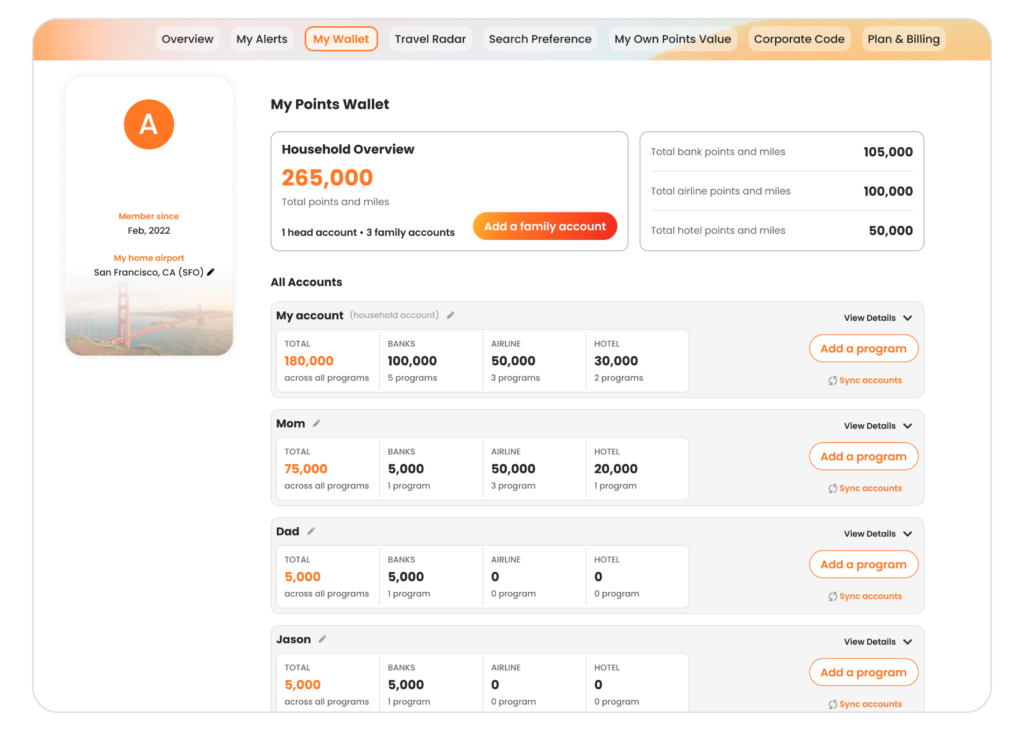
    My Wallet helps you keep your airline, hotel, and bank rewards organized in one place.

    Premium members can also unlock automatic account syncing and the Family and Friends Points Wallet to manage rewards across multiple travelers.

    Learn more:

    Search Preferences

    Customize your favorite airports, default search settings, and other preferences so PointsYeah works the way you travel.

    Learn more:

    Free vs. Premium

    Every PointsYeah account includes powerful tools for searching award flights and hotels, creating alerts, and organizing your rewards.

    If you travel frequently or want additional flexibility, PointsYeah Premium expands the experience with features like:

    • Expanded Live Search
    • Family and Friends Points Wallet
    • Automatic account syncing
    • More alerts
    • Additional search capabilities

    You can compare plans and learn more on our PointsYeah Premium page.

    Where Should You Start?

    If you’re new to PointsYeah, here’s a simple path.

    • Know where you want to go? Start with Live Search.
    • Need travel inspiration? Open Daydream Explorer.
    • Waiting for award space? Create an Alert.
    • Want to organize your rewards? Set up My Wallet.
    • Travel often? Explore PointsYeah Premium to unlock additional planning tools.

    Welcome to the Community

    Thanks for joining PointsYeah.

    We’re building tools that make award travel easier to search, compare, and book, whether you’re planning next month’s vacation or dreaming about a trip years from now.

    As you explore the platform, you’ll find detailed guides throughout our Product section to help you get the most out of every feature.

    If you have questions, feedback, or feature requests, we’d love to hear from you at yeah@pointsyeah.com.

  • Introducing Daydream Explorer

    Introducing Daydream Explorer

    Today, we’re introducing a completely redesigned Daydream Explorer, giving travelers a more visual way to search for award flights and hotels.

    At the center of the experience is an interactive map that lets you explore destinations around the world before narrowing your search. Switch between flights and hotels, zoom into regions, and discover new possibilities with just a few clicks.

    Once you’ve found somewhere that catches your eye, Daydream transitions into the detailed search results you’re familiar with, where you can compare award prices, cabins, airlines, transfer partners, and more.

    Sometimes you start looking for Paris and end up booking Portugal instead. That’s exactly what Daydream is designed for.

    Start with Inspiration

    Unlike a traditional search engine, Daydream doesn’t require you to know exactly where you want to go.

    Search from anywhere to anywhere, or begin with a continent, country, region, state, or airport. You can include up to three locations on both the departure and arrival sides of your search.

    Whether you’re planning your next vacation or simply browsing what’s possible with your points, the experience is built to encourage exploration.

    Daydream also includes the Hotel Collection, making it easy to switch between award flights and hotels without leaving the map.

    Find Exactly What You’re Looking For

    Once you’ve narrowed your options, powerful filters help refine the results.

    On the flight page, you can filter by:

    • Cabin class
    • Airline loyalty program
    • Bank rewards program
    • Number of stops
    • Maximum points
    • Maximum taxes
    • Travel themes

    Whether you’re searching for nonstop flights to Tokyo or a luxury hotel in Rome, Daydream makes it easier to focus on the trips that match your goals.

    Explore Today, Book When You’re Ready

    When you find an itinerary you like, Daydream shows available award options, points pricing, airline programs, cabins, and availability across multiple dates.

    Not ready to book? Explorer Alerts can monitor the trips you’re interested in and notify you when matching opportunities appear. Alerts are free and available directly within Daydream Explorer.

    Available Now

    The redesigned Daydream Explorer is available now on desktop and mobile.

    If you’ve used Daydream before, you can switch back to the previous Detail View at any time or make it your default in your Search Preferences.

    Whether you’re planning your next redemption or simply looking for inspiration, the new Daydream Explorer is ready to help you discover where your points can take you.