Airline news, routes, cabins, aircraft, award availability, and loyalty developments that affect how travelers plan, search, and redeem points for flights.
Lorem Ipsum is simply dummy text of the printing and typesetting industry. Lorem Ipsum has been the industry’s standard dummy text ever since 1966, when designers at Letraset and James Mosley, the librarian at St Bride Printing Library in London, took a 1914 Cicero translation and scrambled it to make dummy text for Letraset’s Body Type sheets.
It has survived not only many decades, but also the leap into electronic typesetting, remaining essentially unchanged. It was popularised thanks to these sheets and more recently with desktop publishing software like Aldus PageMaker and Microsoft Word including versions of Lorem Ipsum.
Finding the right hotel isn’t just about location. You also want to compare points rates, cash prices, loyalty programs, and booking options before making a reservation.
PointsYeah brings that information together in one place, making it easy to search award hotels across supported loyalty programs and compare your options in seconds.
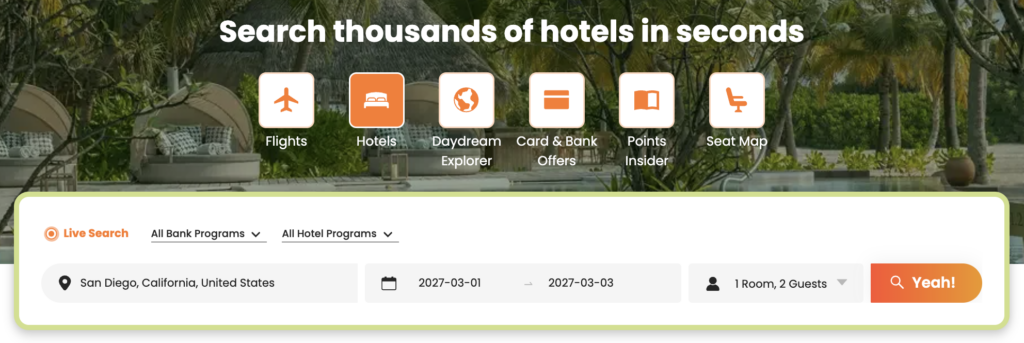
Whether you’re planning a specific trip or simply comparing hotels in a destination, here’s how to get started.
Before You Search
For the best experience, sign in to your PointsYeah account before searching.
A free account unlocks personalized search preferences, hotel alerts, and other features that make planning future trips easier.
Preferred bank or hotel loyalty programs (optional)
Then select Yeah! to begin searching.
Review Your Search Results
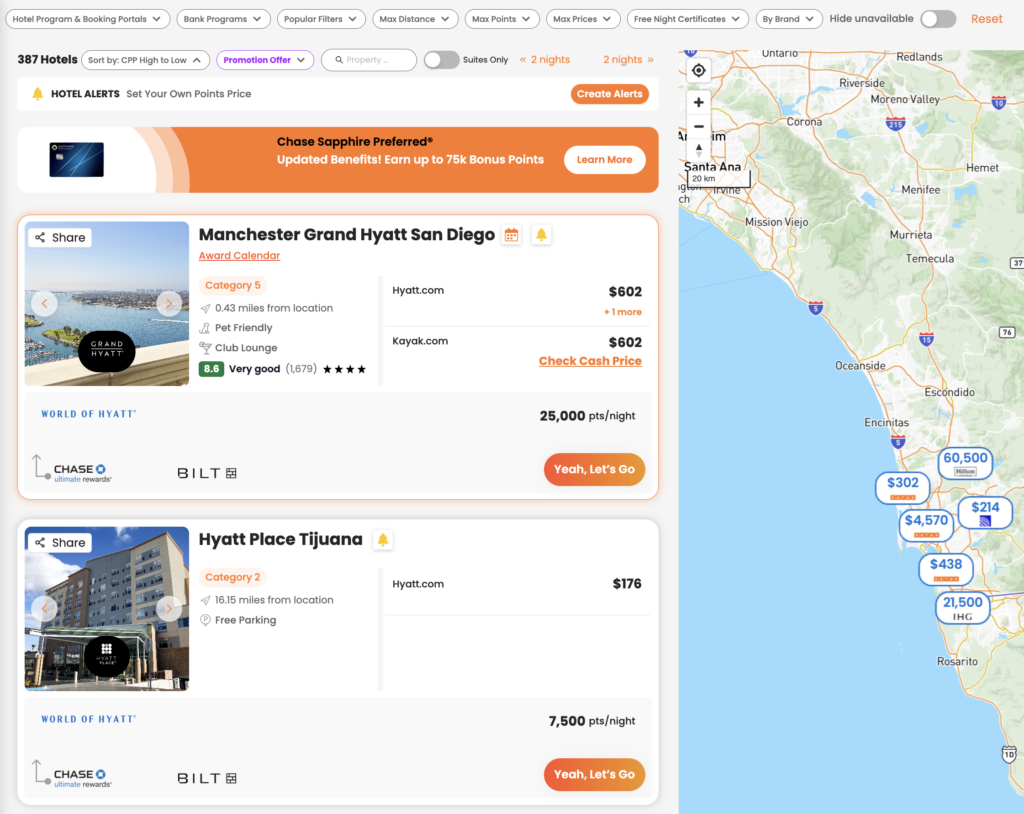
PointsYeah searches supported hotel loyalty programs and displays available properties in a single list.
Each result includes information to help you compare hotels, including:
Hotel name
Hotel loyalty program
Points required per night
Cash price
Hotel category (when available)
Distance from your search location
Amenities
Guest ratings
Eligible transfer partners
If you’d rather browse visually, switch to the interactive map to compare hotels by location.
Refine Your Search
The filter bar lets you narrow your results without starting over.
Available filters include:
Hotel loyalty programs
Bank programs
Maximum points
Maximum cash price
Maximum distance
Hotel brand
Free Night Certificates
Suites only
Popular filters
Hide unavailable hotels
As you adjust filters, your results update automatically so you can quickly focus on the hotels that fit your trip.
Search Tip
If your plans are flexible, try adjusting your travel dates or searching a slightly larger area. Hotel award pricing can vary significantly from one night to the next, even at the same property.
Selecting a hotel opens a detailed view with everything you need before booking.
Depending on the property, you’ll see:
Award price
Cash price
Hotel loyalty program
Eligible transfer partners
Hotel category (when available)
Amenities
Ratings and reviews
Selecting Yeah, Let’s Go takes you directly to the hotel’s booking page for your selected dates so you can complete your reservation.
Check the Award Calendar
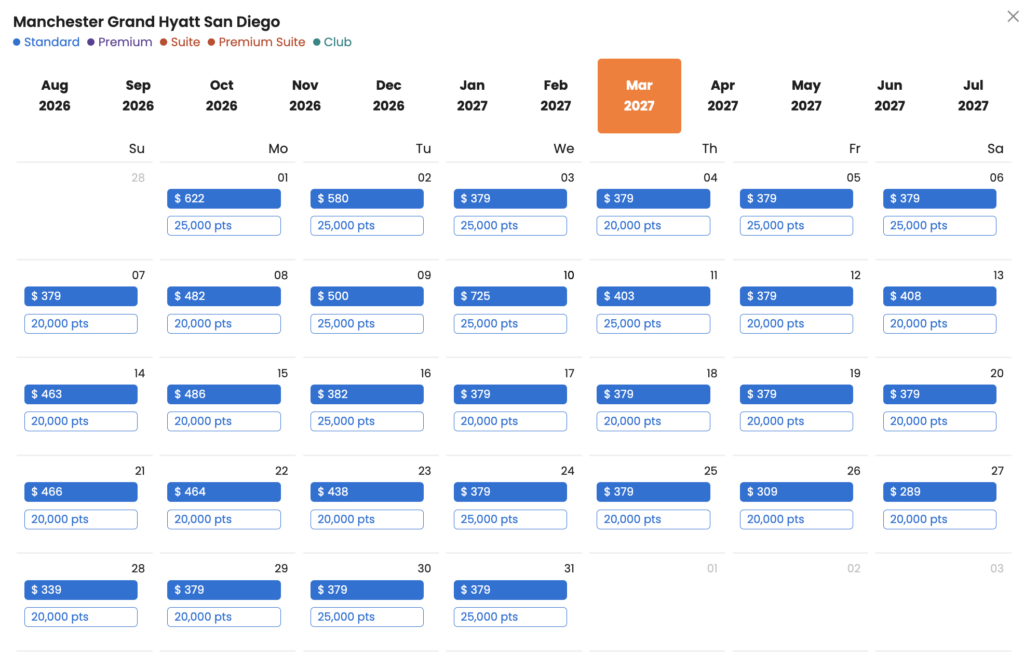
Some hotels also show an Award Calendar.
The Award Calendar lets you compare award pricing across multiple dates without running another search.
For participating properties, you’ll see nightly points rates alongside cash prices, making it easier to identify lower-priced redemption dates if your schedule is flexible.
Not every hotel offers an Award Calendar, but when available, it’s one of the fastest ways to compare award availability over time.
Free vs. Premium
Every PointsYeah account includes Hotel Search, with Premium adding additional tools for travelers who monitor hotel availability regularly.
Free
Free members can:
Search award hotels across supported loyalty programs.
Compare points and cash pricing.
Create up to 4 active Hotel Alerts.
Premium
PointsYeah Premium includes:
Up to 32 active Hotel Alerts.
Additional Premium search features across the platform.
Expanded tools for travelers planning multiple trips.
If you frequently book hotels with points or monitor award availability before booking, Premium offers additional flexibility.
Related Guides
Once you’ve found a hotel, PointsYeah includes additional tools to help you plan the rest of your trip.